


Brief Information: The Department of Telecommunications (DoT) has launched the website tafcop.sancharsaathi.gov.in to ensure that telecom companies provide good service to their customers and protect them from fraud. According to the current rules, a person can have up to nine mobile connections under their name. If you want to learn more about the TAFCOP Portal for 2026, including important details, goals, services offered, steps to check the mobile connections registered under your name, how to log in, and more, you can visit tafcop.sancharsaathi.gov.in and read our article till the end.
- TAFCOP PORTAL 2026
- TAFCOP PORTAL Objective
- Benefits OF TAFCOP Portal
- Why is TAFCOP Significance Essential?
- How to Verify Online Connections Registered on the TAFCOP Portal
- Steps to Check if Your Mobile Number is Linked to Aadhaar
- Steps to Link Mobile Number with Aadhaar
- Instructions for Verifying New Mobile Subscribers with TAFCOP
- TAFCOP Helpline Number
- Important Links (dot.gov.in TAFCOP Portal 2026 Direct Link)
- FAQ taf cop portal Login, Check SIM Active Status, @tafcop.dgtelecom.gov.in
| 🌐 Portal Name | TAF COP PORTAL & CONSUMER PORTAL |
| 🏢 Established By | Indian Government |
| 🚀 Officially Launched By | Telecommunications Department |
| 📱 Designed For | Indian Mobile Users |
| 🔍 Purpose | Verification of Mobile Numbers linked to user’s identity |
| 🌍 Accessibility | Online |
| 🇮🇳 User Base | Citizens of India |
| 🔗 Official Website | tafcop.sancharsaathi.gov.in |
The Government of India has merged all the features of the TAFCOP Portal with the Sanchar Saathi Portal. Now, you can avail the benefits of the TAFCOP services through the Sanchar Saathi Portal. To learn more about the Sanchar Saathi Portal, click here.
भारत सरकार के द्वारा TAFCOP Portal की सारी सुविधाओं को Sanchar Saathi Portal के साथ मर्ज कर दिया गया है। अब आप TAFCOP की सुविधा का आनंद Sanchar Saathi Portal की सहायता से ले सकते हैं। यहां क्लिक करें Sanchar Saathi Portal के बारे में जानने के लिए।
The integration of the two portals was officially announced by the Department of Telecommunications and highlighted in the Press Information Bureau release on 16 May 2023, which stated that over 40 lakh fraudulent connections had been identified and more than 36 lakh disconnected through the Sanchar Saathi system.
TAFCOP PORTAL 2026
The Indian Government has introduced the TAFCOP Consumer Portal to enable users to verify and manage the mobile connections registered in their name. This portal is a part of the broader Sanchar Saathi initiative designed to protect consumers, curb fraud, and ensure transparency in telecom services. Users can easily check how many active mobile connections are linked to their account and take necessary actions if any unauthorized numbers are detected.
TAFCOP PORTAL Objective
The tafcop.sancharsaathi.gov.in website assists individuals in finding out how many mobile connections are linked to their accounts and guides them in resolving any extra connections. It is important to note that the Customer Acquisition Form (CAF) is primarily managed by the service providers, ensuring that only genuine connections remain active.
The Indian government has officially launched the Tafcop DG Telecom Portal for Telecom Analytics to manage fraud and protect consumers. This portal offers a convenient way to check the number of SIM cards registered under a user’s name, saving time and effort.
Currently, this service is available pan-India across all states and union territories in India. Despite some concerns about its credibility, the portal is a legitimate platform created for tracking SIM cards and reporting fraudulent connections.
Benefits OF TAFCOP Portal
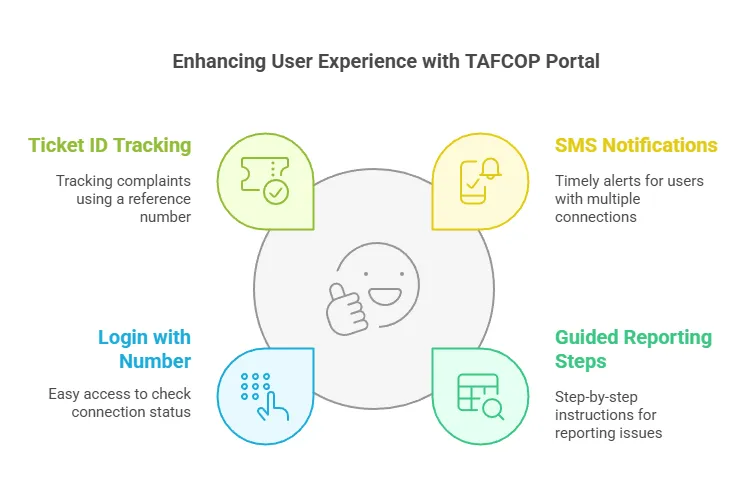
Subscribers with more than nine connections registered in their names will receive SMS reminders. To view the status and obtain a ticket ID reference number, users must provide their mobile number during the login process.
Benefits of the TAFCOP Portal
- Subscribers with more than nine active connections receive timely SMS notifications.
- Users can follow the guided steps provided on the portal to report and disconnect unauthorized connections.
- The option “Click here to log in with your number” enables users to check the status of their connections.
- Users can enter their ‘Ticket ID Ref No’ in the ‘Request Status’ section to track their complaints.
Why is TAFCOP Significance Essential?
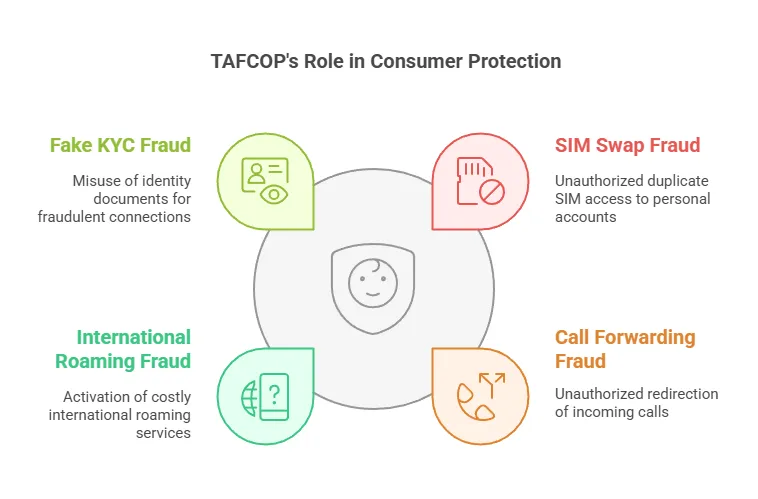
TAFCOP is crucial because it safeguards consumers from fraud and misuse of their mobile identities. By identifying unauthorized or duplicate connections, TAFCOP helps prevent various types of fraud such as SIM swap fraud, call forwarding fraud, international roaming fraud, and fake KYC fraud. This proactive monitoring enables users to report issues early and helps the government take timely action.
- SIM swap fraud: Occurs when a duplicate SIM is issued using your number to access your personal accounts.
- Call forwarding fraud: Unauthorized redirection of your incoming calls leading to unexpected charges.
- International roaming fraud: Activation of international roaming on your number, resulting in high charges.
- Fake KYC fraud: Misuse of your identity documents to obtain mobile connections fraudulently.
Using TAFCOP, you can monitor your mobile connections for any suspicious activity and report discrepancies directly to your service provider or the Department of Telecommunications (DoT).
How to Verify Online Connections Registered on the TAFCOP Portal
To check any mobile number on the TAFCOP Portal, new users should follow these steps:
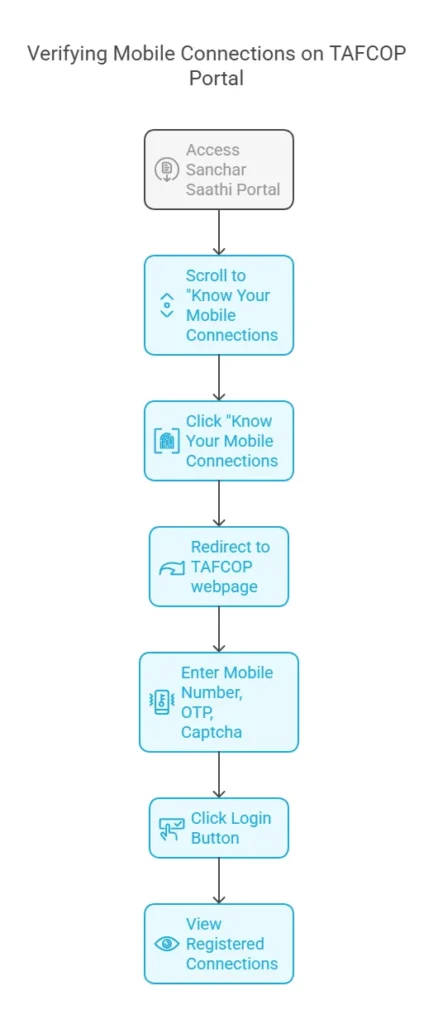
- Go to the official website of TAFCOP via the Sanchar Saathi Portal: https://sancharsaathi.gov.in/
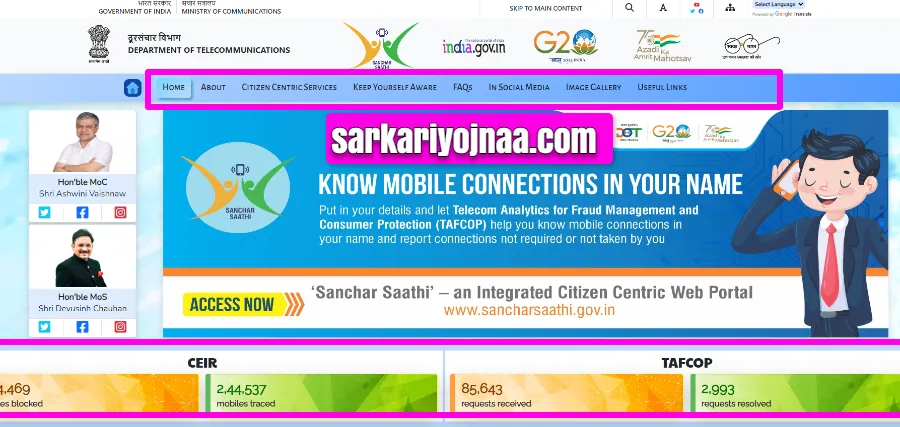
- Scroll down on the home page.
- Look for the option “Know Your Mobile Connections“.
- Click on “Know Your Mobile Connections” to find out how many connections you have.
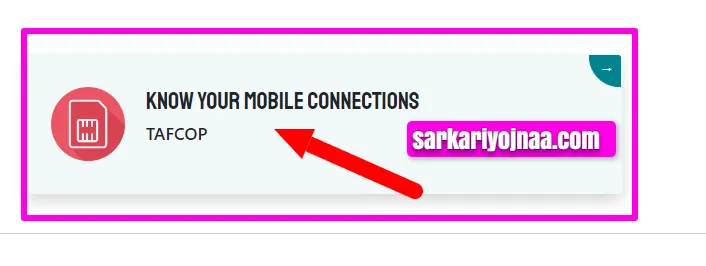
- Once you click on the “Know Your Mobile Connections” button, you will be directed to a new webpage: https://tafcop.sancharsaathi.gov.in/telecomUser/. On this page, enter your mobile number, OTP, and captcha code as shown in the image below.
- After filling in all the required information, click the login button to proceed.
- Upon successful verification, your registered online connections will be displayed on the screen.
Steps to Check if Your Mobile Number is Linked to Aadhaar
Follow these steps to verify if your mobile number is linked to your Aadhaar:
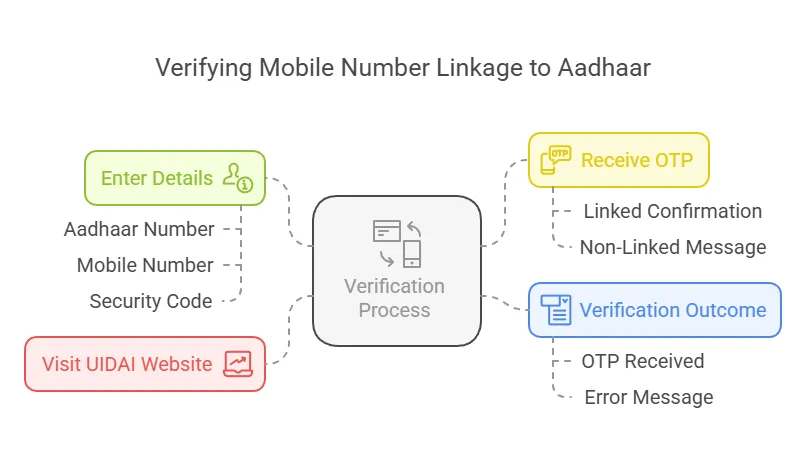
- Go to the official website of UIDAI – www.uidai.gov.in
- Enter your Aadhaar number, mobile number, and the security code (Captcha).
- Click on ‘Send OTP’.
- If your mobile number is linked to your Aadhaar, you will receive an OTP. Enter the OTP to verify.
- If your mobile number is not linked to Aadhaar, you will receive a message stating “Your mobile number is not enrolled in our records.”
Steps to Link Mobile Number with Aadhaar
To link your mobile number with your Aadhaar, follow these steps:
- Download the Aadhaar update/correction form from the UIDAI website or collect it from the nearest Aadhaar centre.
- Fill in the required details and attach a copy of your Aadhaar card along with a valid photo identification document (PAN card, passport, voter ID, etc.).
- Submit the form at the Aadhaar centre for verification of biometrics and demographics.
- Receive an acknowledgement slip, and your mobile number will be linked to Aadhaar within a few days.
- Alternatively, visit your telecom service provider’s store with your Aadhaar card and mobile number for biometric verification.
- Complete the process by entering the received OTP to finalize the linking.
Instructions for Verifying New Mobile Subscribers with TAFCOP
As per the recommendations of the Joint Expert Committee of DoT (TAFCOP) and the Supreme Court judgment in WP(C) No. 285/2010, the following instructions are issued for mandatory verification of new mobile subscribers:
- Complete the CAF form accurately and attach a recent photograph, proof of address (POA), and proof of identity (POI) when submitting it to the SIM sales centre.
- Ensure that the acknowledgement includes the CAF number, mobile number, POI, POA, date of issue, and the customer’s signature with the POS stamp.
- The SIM sales centre representative will match the submitted documents with the original proofs and verify the customer’s photograph.
- The network employee will update all customer details in the database confirming that all documents have been verified, after which the new SIM will be activated.
- The POS worker must verify the consumer’s signature during the sale and record the SIM’s date of sale and commissioning in the database.
- Complete tele-verification by calling customer care for address and identity confirmation once the mobile number is activated.
- Note: Selling an already activated SIM may result in closure of the SIM and a fine of Rs 50,000.
- Follow the guidelines for conversion between Prepaid and Postpaid services.
- Ensure there are no errors in the CAF form, as the POS worker will verify that all details are accurate.
TAFCOP Helpline Number
To deactivate a mobile number registered in your name but no longer in use, visit the Consumer Protection Portal at tafcop.sancharsaathi.gov.in. Please note that there is no dedicated helpline number available for this purpose.
The tafcop.sancharsaathi.gov.in website, launched by TRAI Sim Check, is designed to protect mobile users’ rights in India by allowing you to track SIM cards linked to your name.
Important Links (dot.gov.in TAFCOP Portal 2026 Direct Link)
| 🔗 TAFCOP Portal 2026 URL | https://tafcop.sancharsaathi.gov.in |
| 🌐 DOT TAFCOP Portal Link | https://dot.gov.in/profile |

FAQ taf cop portal Login, Check SIM Active Status, @tafcop.dgtelecom.gov.in
yes, The TAFCOP Portal tafcop.sancharsaathi.gov.in has been launched by the Government of India to facilitate customers in swiftly determining the count of mobile numbers registered under their name and taking necessary actions to rectify any additional mobile connections.
taf cop portal To check the status of your request on the official Tafcop Dg Telecom Gov In Portal, log in with your number and enter the “Ticket ID Ref No” in the “Request Status” section.
taf cop portal stands for Telecom Analytics for Fraud Management and Consumer Protection. It is a portal launched by the Indian government to help consumers determine how many mobile numbers are associated with their names and to take necessary action to regularise any additional mobile connections. The purpose of TAFCOP is to combat the issue of fake or unauthorized mobile connections in India, which can be used for illegal activities such as fraud, terrorism, and other criminal activities. By enabling consumers to check the number of mobile connections in their name, the government aims to prevent the misuse of mobile connections and protect consumers from fraudulent activities.
Article Summary: In this complete guide, you will learn how to check all active mobile connections linked to your name using the official TAFCOP and Sanchar Saathi portal. It includes step-by-step instructions for SIM verification, Aadhaar linking, and reporting unauthorized numbers to protect yourself from fraud. Reading this article will help you safeguard your mobile identity and take full control of your registered mobile numbers easily.



 Join WhatsApp
 Join Telegram
